All apps / Component Tree
CT
JiraComponent Tree
Nest Jira components in a tree and search a whole branch with one JQL function.
Overview
Jira shows components as a flat list. Component Tree lets you build the structure your product really has and then search by branch. It is made for Jira project administrators.
Features
What you get.
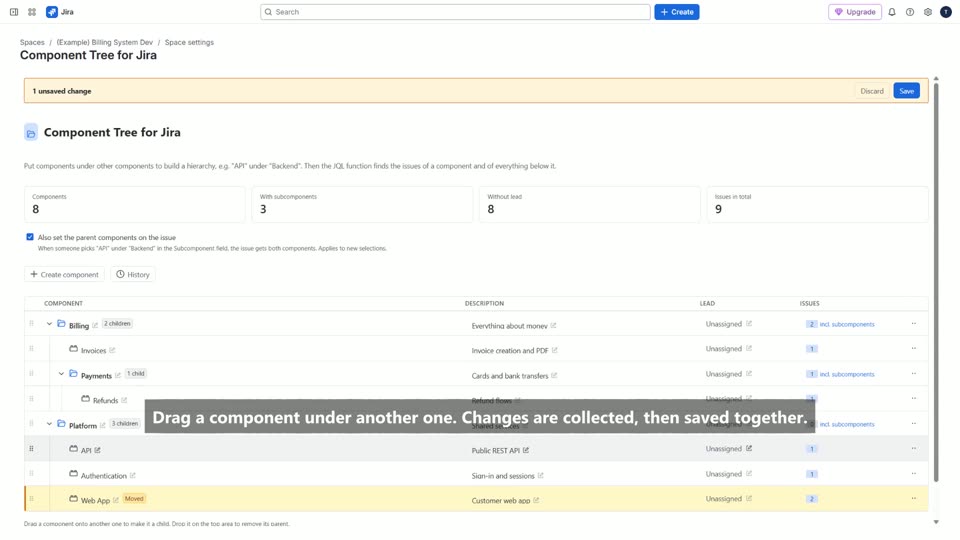
- Drag components into a tree, or use the row menu.
- component in subcomponentsOf("Billing") finds issues in a whole branch.
- Pick a component from the tree in the issue with the Subcomponent field.
- Changes are collected first, then saved together.
- A history shows who changed what, with Undo.
Video tutorial
Watch Component Tree in action.
The video loads from YouTube when you press play. Privacy
Pricing
Free up to 10 users, with all features.
Planned yearly prices: about USD 125 for 25 users, 250 for 50 users and 450 for 100 users. The Marketplace listing shows the exact tiers.
No fee per project, no extra charge for the JQL function or the history.
Component Tree
Nest Jira components in a tree and search a whole branch with one JQL function.